Which macro tracking app is best for you?
The best macro tracking app depends on the control you need. MacroFactor suits people who want targets that adjust each week. Cronometer gives fixed gram targets on a free account. MacrosFirst gives free per-meal macro goals. MyFitnessPal has the familiar diary, but gram goals and macros by meal are Premium.
- Targets that adjust to your intake and weight trend: MacroFactor, paid only, from $71.99 a year.
- Free fixed gram targets plus vitamins and minerals: Cronometer Basic, with Gold at $59.99 a year.
- Free daily and per-meal macro goals with a free barcode and label scanner: MacrosFirst.
- Several macro goals for training and rest days, with barcode and label scanning: My Macros+, whose extra goals need Pro from $29.99 a year.
- An ad-free diary for iPhone, iPad, Mac and Apple Watch with barcode and label scanning: FoodNoms, with Foodnoms+ from $39.99 a year.
- A large, familiar diary with partner-app links: MyFitnessPal, where macro control in grams needs Premium.
- A simple calorie budget first, macros later: Lose It!, whose macro tracking is a Premium feature.
- A beginner-friendly diary with fasting plans and a calorie split by meal: YAZIO.
- Photo-first logging, if you check every result: Cal AI.
- Logging by conversation inside ChatGPT or Claude: IZeat, which we make.
How this page was built. IZeat publishes this page and sells one of the options, so read the IZeat row with that in mind. Seven of the nine apps are the ones that appear most often in the comparisons and review videos ranking for this search in October 2026; MacrosFirst is included because it ranks on its own and gives away macro features others charge for. My Macros+ and FoodNoms are added as established macro trackers that log from barcodes and nutrition labels, both rated 4.7 out of 5 on the US App Store on 6 October 2026. Features and prices come from each publisher's help centre, website or US App Store listing, read on 5 and 6 October 2026. I have used MyFitnessPal, Lose It!, Cal AI and YAZIO myself, and my notes on them are marked as mine. MacroFactor, Cronometer, MacrosFirst, My Macros+ and FoodNoms are covered from their own documentation and store listings. We timed nothing, and the order is not a ranking by weight loss or any other body result.
What do free and paid plans unlock for macros?
| App | Free plan | Paid price (per year unless stated) | Macro targets in grams | Macros per meal | Adaptive targets | Exercise calories added to goals |
|---|---|---|---|---|---|---|
| MacroFactor | No; 7-day trial | $71.99 (or $11.99 a month) | Yes, all plans | Per hour on a timeline, not fixed meals | Yes (Coached and Collaborative) | No; expenditure estimated from intake and weight trend |
| Cronometer | Yes, Basic, no time limit | Gold $59.99 (or $10.99 a month) | Yes, free | Diary Groups, free | No; Macro Scheduler (Gold) plans targets by day | Optional setting; default not stated by Cronometer |
| MacrosFirst | Yes | Premium from $6.67 a month, billed yearly | Daily macro goals, free (unit not stated) | Yes, meal-level goals free | No; per-day goals are Premium | Not verified |
| My Macros+ | Yes | Pro $29.99 or $34.99 (or $3.99 a month); lower offers also listed | Yes, in grams | Meal-level breakdown; meal goals not stated | Through Macro Coach, a separate $9.99 purchase (period not shown) | Not verified |
| FoodNoms | Yes | Foodnoms+ $39.99 or $49.99 (or $5.99 or $9.99 a month) | Yes; Advanced mode (grams, percentages or grams per body weight) is Foodnoms+ | Not verified | Calibrated Energy (Foodnoms+) proposes a calorie target from intake and weight trend | Optional, from Apple Health Active Energy; Health import is Foodnoms+ |
| MyFitnessPal | Yes | Premium $79.99 (or $19.99 a month) | Premium only; free uses percentages in 5% steps | Premium only | No | Depends on when the account was created; Premium can opt out |
| Lose It! | Yes, Basic | Premium $79.99 | Premium (nutrient targets) | Premium (meal targets) | Calorie budget scales with weight; macro goals do not follow | Not verified |
| YAZIO | Yes | Pro $23.90 or $47.90 (two offers listed) | No; percentages by diet type | Calorie split by meal | No | Yes, unless switched off |
| Cal AI | No; 3-day trial | Plans listed from $2.99 to $29.99; billing period not shown | Editable (per a reviewer) | Not verified | No | Not verified |
| IZeat (our product) | No; 7-day trial, no card | €74.99 launch price (or €14.99 a month) | Yes, the targets you choose | Yes | No | No; exercise is not recorded |
Sources: each publisher's help centre, website and US App Store in-app purchase list, read 5–6 October 2026; IZeat from its own price list. Store prices vary by country and offer. "Not verified" means the publisher's pages did not say, not that the feature is missing.
Three columns decide most choices. Gram targets matter if a coach or calculator gave you protein, carbohydrate and fat in grams; a percentage-only app turns those into rounded shares of your calories. Macros per meal matter if you build dinner from what is left. Adaptive targets matter if you want the app, not you, to revise the plan. The free-plan column then tells you whether you can check all three before paying. For a wider look at free plans beyond macros, read what a free calorie tracker includes.
Who is MacroFactor for?
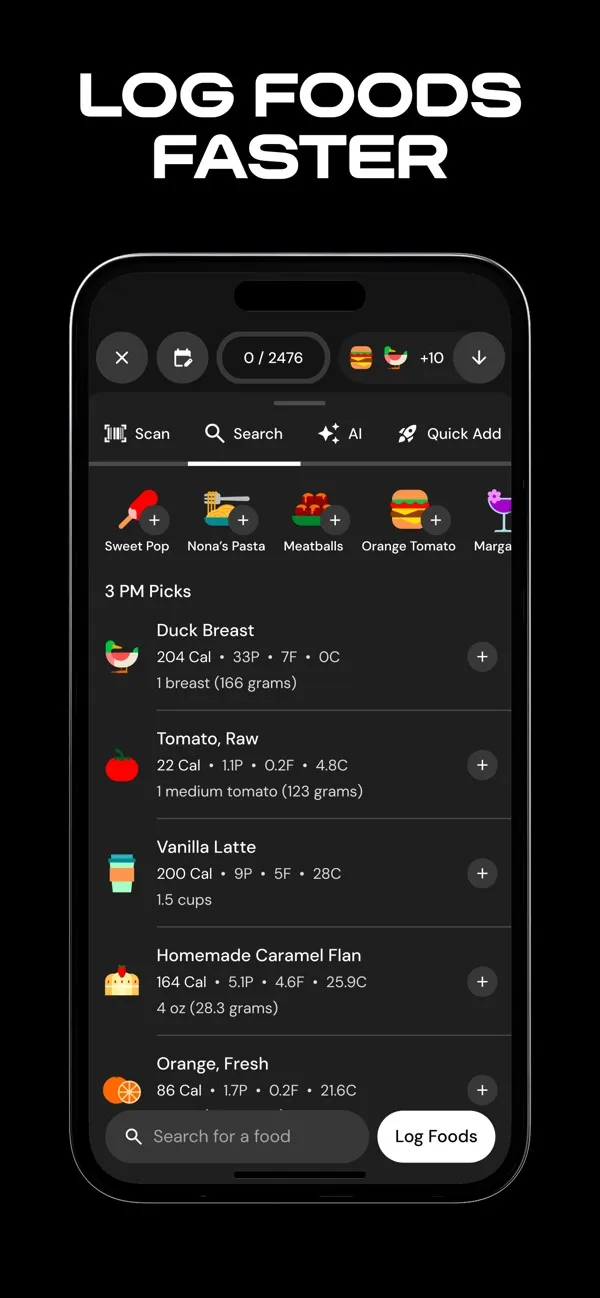
MacroFactor suits someone who wants an app to revise calorie and macro targets as their weight trend moves. Its programme guide offers Coached, Collaborative and Manual modes; the first two adjust targets from logged intake and weight, and Manual leaves gram targets to you. The product page describes weekly adjustments and an energy expenditure estimated from intake and body-weight change, which is why logged workouts are not added back to your targets. Logging covers search, barcode, label scan, AI photo, a typed or spoken description and a recipe importer. The food log is a 24-hour timeline with macro summaries per hour rather than fixed meals.
Price: $11.99 a month, $47.99 for six months or $71.99 a year, per its subscription guide and its US App Store listing, checked 6 October 2026. A bundle with MacroFactor Workouts costs $89.99 a year. The App Store listing states a free trial and no free tier; the product page gives seven days.
Limit: there is nothing to keep once the trial ends, so you cannot compare it with a free diary over a month without paying. The adaptive model also needs regular weigh-ins to work as described. If you want to keep your current app instead, see MacroFactor alternatives.
Who is Cronometer for?
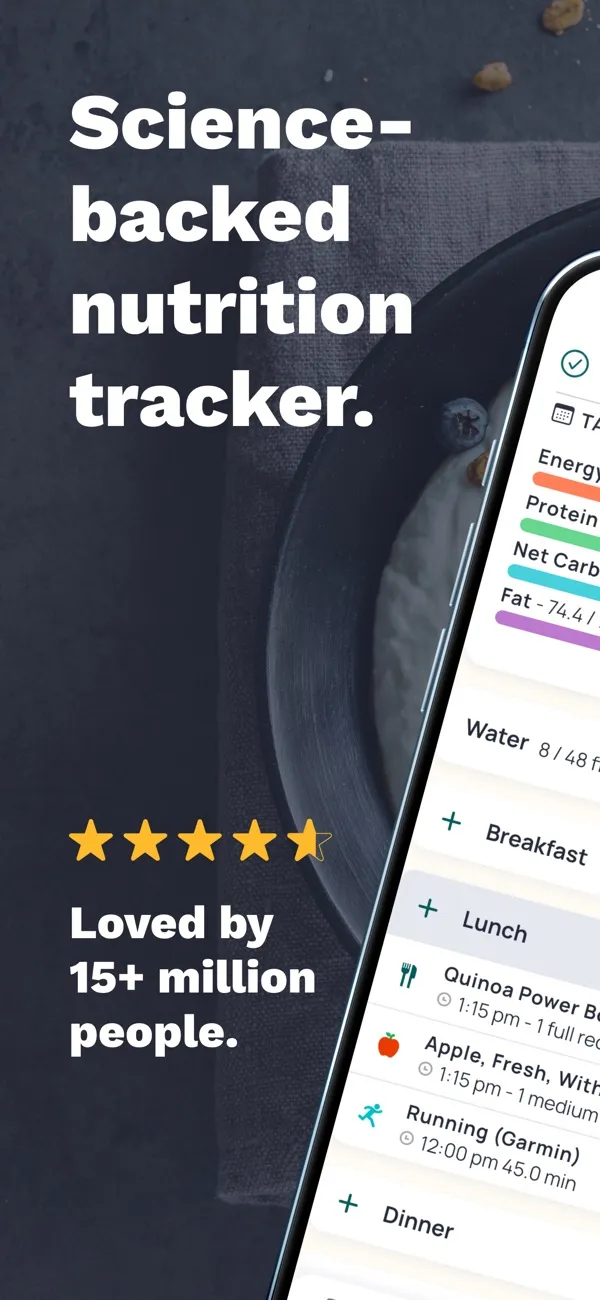
Cronometer suits someone who wants fixed gram targets without paying, and who cares about fibre, vitamins and minerals as well as macros. Its Fixed Targets guide lets you enter gram amounts for each macronutrient. Its Subscription Types page, updated 5 October 2026, lists Diary Groups and full raw-data export for all users, and puts the Macro Scheduler, recipe importer and ad-free use in Gold. The US App Store listing says barcode scanning is free and lists photo and voice logging under Gold.
Price: Basic is free with no time limit. Gold is $10.99 a month or $59.99 a year on the US App Store, checked 6 October 2026.
Limit: targets do not adapt on their own. Check the energy setting too: Cronometer's Energy Target guide describes an option that adds energy burned above your baseline activity to the day's target, without saying whether it starts on. A FeastGood review from August 2026 reports it on by default. More options are in Cronometer alternatives.
Who is MacrosFirst for?
MacrosFirst suits someone whose plan sets macros for each meal, not only for the day. Its website lists meal-level calorie and macro goals, unlimited custom meals and a barcode and label scanner on the free plan. The US App Store listing adds a feature few others offer: enter the foods and your macro goal, and the app calculates the serving sizes that hit it. It also converts alcohol calories into carbohydrate or fat.
Price: free, with Premium from $6.67 a month billed yearly on its website; the US App Store lists Premium at $11.99 to $79.99 depending on the period, checked 6 October 2026. Premium adds different goals by day, AI search by voice, text or photo, history export and net carbs.
Limit: targets stay as you set them, and exporting your meal history requires Premium. MacrosFirst gets less editorial coverage than the others here, so there is less independent material to check its claims against.
Who is My Macros+ for?
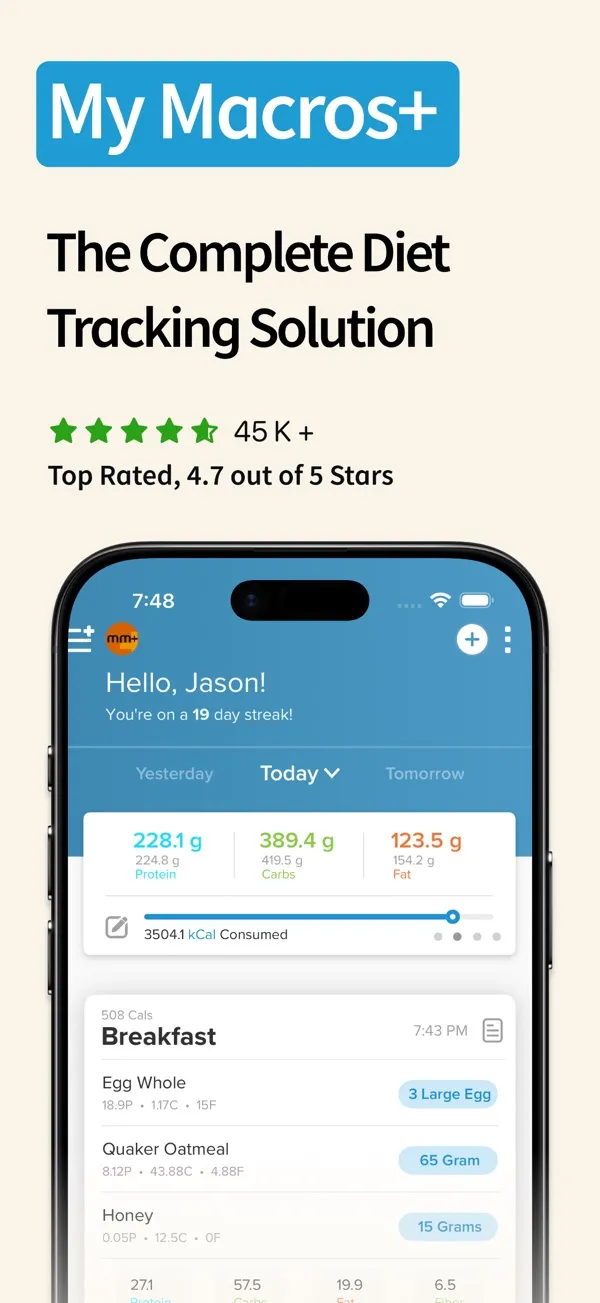
My Macros+ suits someone who already has macro numbers in grams and wants to log fast, with different goals for training and rest days. Its website describes macro goals in grams, as many meals a day as you want, a barcode and nutrition label scanner and a database of more than 5 million foods, on iPhone, Android and the web. The US App Store listing adds AI photo scanning, daily, meal-level and per-food nutrition breakdowns, an Apple Watch app and two-way Apple Health sync.
Price: the app is free to download. The US App Store lists My Macros+ Pro at $3.99 a month or $29.99 to $34.99 a year, with lower offers also listed, checked 6 October 2026. Pro adds unlimited macro goals for carb cycling, high and low days and refeeds, CSV export, bodyweight goals and deeper analysis. Macro Coach, a separate optional subscription listed at $9.99 without its billing period, sets starting macros from a questionnaire and adjusts them as you progress.
Limit: the listing does not say which logging features, AI photo scanning included, stay free, or whether exercise changes your goals. Several goals for different days need Pro, and targets that adjust over time need Macro Coach on top.
Who is FoodNoms for?
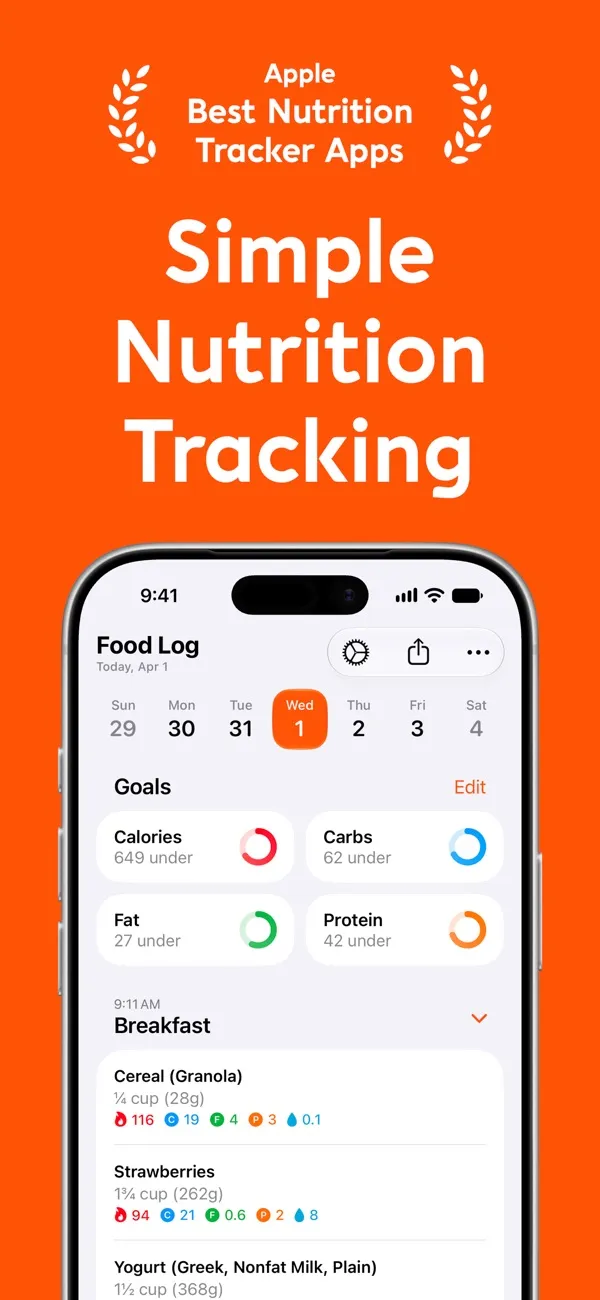
FoodNoms suits an iPhone, iPad or Mac user who wants an ad-free diary with flexible macro goals. Its US App Store listing offers logging by photo or description with Foodnoms AI, by barcode or nutrition label scan, by voice and Siri, or from a database of hundreds of thousands of foods; you can also log an estimate and tag how accurate it is. Its macro goals guide, updated 5 October 2026, offers preset splits, custom percentages that must total 100%, manual targets, and an Advanced mode that sets each macro in percentages, grams or grams per body weight. Advanced requires Foodnoms+.
Price: the listing puts unlimited food tracking, barcode scanning, calorie and macro goals and CSV export in the free version. The US App Store lists Foodnoms+ at $5.99 or $9.99 a month and $39.99 or $49.99 a year, with family plans up to $89.99 a year, checked 6 October 2026; a July 2026 press release gives $39.99 a year or $5.99 a month. Per its free vs Foodnoms+ page, Foodnoms+ adds the AI features, fibre, vitamins and minerals, custom meal types, Apple Health import including burned calories, and Calibrated Energy, which proposes a calorie target from your logged intake and weight trend.
Limit: FoodNoms runs only on Apple devices, with no Android or web version. Its pages do not say whether the label scanner is free or whether you can see macros per meal, and gram targets in Advanced mode need Foodnoms+.
Who is MyFitnessPal for?
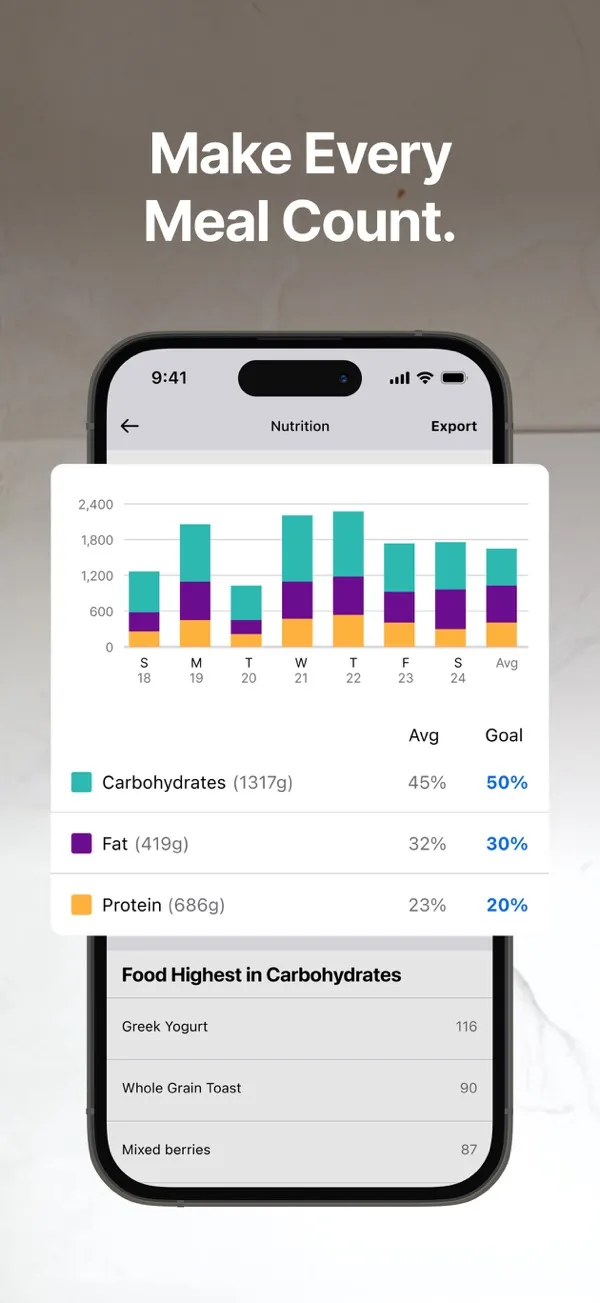
MyFitnessPal suits someone who wants a well-known diary, partner-app connections and a free plan to start. On that free plan, its goal guide sets macros as percentages in 5% steps that must total 100%. Its plan comparison, updated 5 October 2026, puts macros by gram, macros by meal, calorie goals by meal, the barcode scanner, Meal Scan, net carbs, data export and ad-free use in Premium.
Price: Premium is $19.99 a month or $79.99 a year on the US App Store, which also lists lower offers, checked 6 October 2026. MyFitnessPal says pricing varies by country. Two 2026 changes matter here. MyFitnessPal acquired Cal AI, announced on 2 March 2026, and keeps it as a separate app. It also launched Nutrition Coach, an AI assistant for Premium members on iOS in six English-speaking countries. It can suggest what to eat with your remaining calories, but its help page says it "cannot log food for you" and cannot edit your goals.
Limit: the goal guide says that, depending on when your account was created, exercise logged as cardio adds calories to your daily goal and spreads them across your macros; only Premium can opt out. My own experience: when I used MyFitnessPal, searching the food database by hand for every item took far too long. If that is your reason for leaving, see MyFitnessPal alternatives and what the free version includes.
Who is Lose It! for?
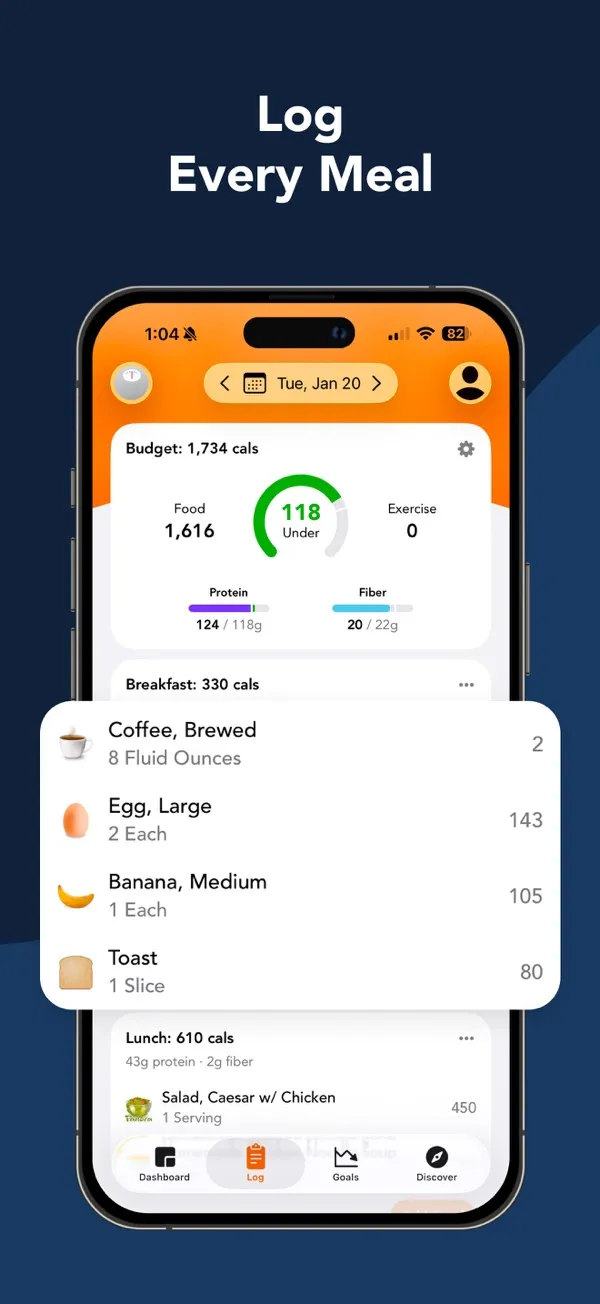
Lose It! suits someone who wants a calorie budget first and may add macros later. Its tiers and pricing page, updated 9 September 2026, gives the free Basic plan a personalised calorie budget and the 50M+ food database, and puts nutrient targets, barcode scanning, and photo and voice logging in Premium. The US App Store listing names macronutrient tracking and meal targets as Premium features.
Price: Premium is $79.99 a year, or $299.99 once for Lifetime ($229.99 for active Premium members), per the same page, checked 6 October 2026.
Limit: Lose It!'s macro calculation page says the calorie budget updates with your weight, but macro goals do not; you adjust them by hand to keep them aligned. My own experience matches the MyFitnessPal one: searching the database by hand for every item took far too long.
Who is YAZIO for?
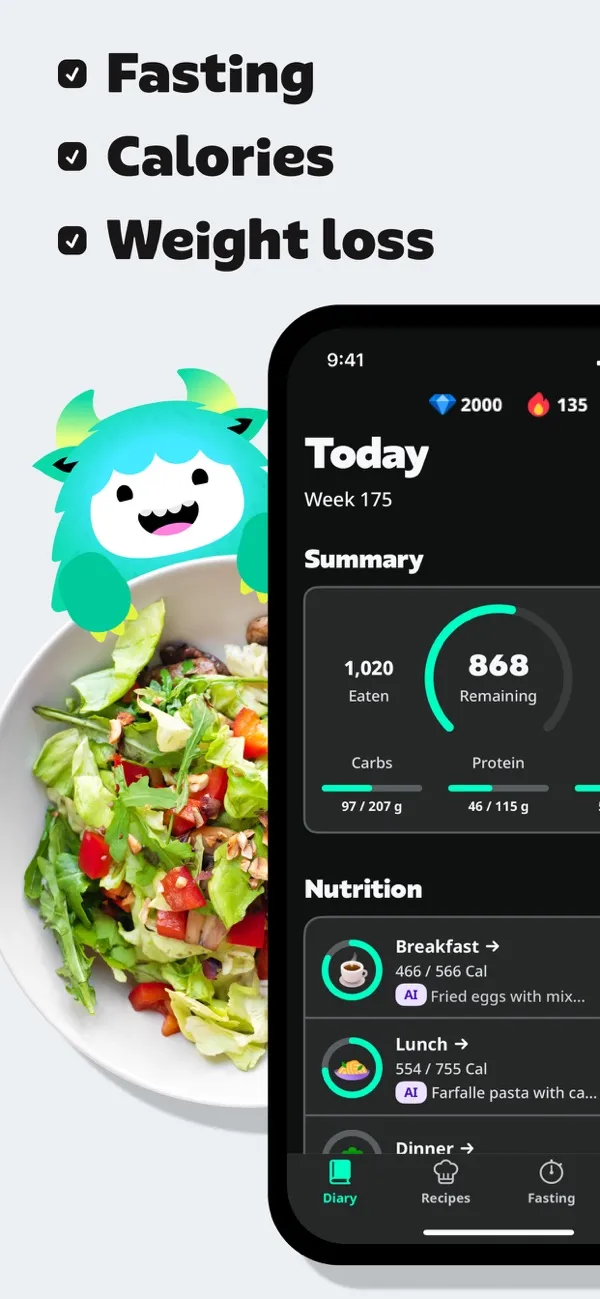
YAZIO suits a beginner who wants a guided diary, fasting plans and recipes more than fine macro control. Its macro ratio guide sets macros as percentages by diet type and advises staying close to the suggested values. Its goals guide lets you change the percentages and split your calories across meals. YAZIO Pro adds AI photo tracking, detailed nutrients, the recipe library, different calories on chosen days and ad-free use.
Price: the US App Store lists Pro for 12 months at $23.90 and $47.90, two offers side by side, checked 6 October 2026.
Limit: according to YAZIO's goal-change guide, logged activity adds burned calories to your goal and raises your nutrient goals to match, unless you turn off Include Activities in Calorie Goal. My own experience: when I used YAZIO, entries added by other users were unreliable, portions were badly estimated and exercise calories were over-counted.
Who is Cal AI for?
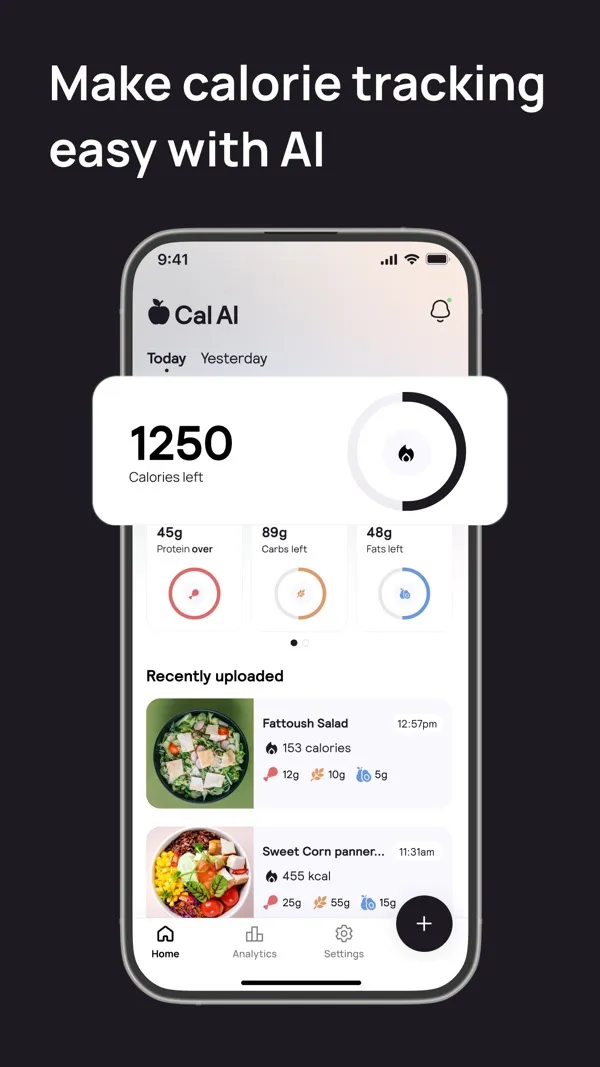
Cal AI suits someone who wants to log by photo and accepts checking each result. Its website offers photo, barcode and description logging and states that Cal AI "is about 80% accurate." The US App Store listing says food-scan results require a subscription. A FeastGood review from September 2026 reports that changing the protein target does not rebalance calories or the other macros.
Price: no free plan, a 3-day trial on its website, and US App Store plans listed from $2.99 to $29.99 without the billing period shown, checked 6 October 2026. Cal AI has belonged to MyFitnessPal since March 2026.
Limit: a photo shows what is on the plate, not its weight or the fat it was cooked in. My own experience: when I used Cal AI, it was far too approximate; it had no idea of the ingredients' macros, nor whether I had used oil or anything else. Can an AI count calories from a photo? explains what a picture can and cannot tell.
Do exercise and calorie changes move your macro targets?
Your macro targets can change without you touching them, and the apps behave differently. Before trusting a remainder, check which of these applies to the app you chose:
- MyFitnessPal: depending on when the account was created, cardio exercise adds calories to the daily goal and spreads them across macros by your ratio; Premium can switch this off.
- YAZIO: logged activity raises the calorie goal and the nutrient goals with it, unless you turn off Include Activities in Calorie Goal.
- Cronometer: an optional setting adds energy burned above your baseline to the day's target; its help page does not state the default.
- MacroFactor: workouts are not added back; expenditure is estimated from intake and weight trend, and targets change at the weekly update.
- Lose It!: the calorie budget follows your weight, but macro goals stay where you set them until you change them.
- IZeat: exercise is not recorded, so targets stay as you set them until you give new ones.
None of these is wrong; they answer different plans. A plan that already includes training in its numbers is double-counted if the app adds workouts on top. A plan that expects you to eat back exercise needs the opposite. The macro-tracking guide covers recording foods and portions; this page does not choose a split for you.
When does IZeat make sense for macro tracking?
IZeat is the five-star chef calorie tracker that suggests satisfying, great-tasting meals, so you enjoy every calorie you have left. It works inside ChatGPT, Claude or any other assistant: IZeat knows your numbers for the day, which foods fill you up and what you like.
IZeat makes sense if you already talk to an AI assistant every day and searching for each food is what made you drop a tracker. Four things set it apart from the nine apps above:
- IZeat lives inside the assistant you already use every day, ChatGPT, Claude or another, so there is no extra app to open. It connects as a custom MCP connector: a free Claude account can add one, and other assistants need a plan that supports custom MCP connectors.
- With IZeat, you say the meal by voice or in one sentence, such as "180 g of chicken, 150 g of cooked rice and a yoghurt", instead of searching for each food. The assistant asks only for what is missing, such as a weight or the cooking oil. I built IZeat because of the searching I describe above, and in my own use logging this way felt about ten times faster than going back to a search-based tracker; that is my observation, not a timed average.
- For packaged food, you photograph the nutrition label of the product you ate instead of accepting a barcode match from a database other users helped fill. The assistant reads the values back with you before logging, the figures come from your product's label, and IZeat stores every figure with its source: a label, your own value, a reference value or a marked estimate. FoodNoms and other apps above scan labels too; with IZeat the reading happens in the conversation and the source stays attached to each item.
- IZeat then helps with the next meal: ask what to eat and the assistant reads what is left of your gram targets from IZeat and suggests a satisfying meal that fits them. The suggestion is the assistant's, built on IZeat's figures, and nothing is logged until you say what you actually ate.
Each reply shows the meal, the day's totals and what is left of the targets you chose, and the web app shows macros per meal. A figure is only as good as the label, weight or description behind it, which is why each one keeps its source. More on those sources in label, reference, estimate.
What IZeat does not do, today:
- IZeat has no barcode scanner and no food database of its own; values come from a label you photograph, numbers you give, reference values the assistant quotes, or a marked estimate.
- IZeat has no adaptive coaching and does not calculate targets for you; it stores the targets you choose.
- IZeat records calories, protein, carbohydrate and fat only: no fibre, net carbs, vitamins or minerals.
- IZeat cannot import a diary from another app, and it records neither exercise nor body weight.
- IZeat needs an assistant and a plan that support custom MCP connectors; a chat app alone is not enough.
Price: a 7-day trial without a card, then €14.99 a month or €74.99 a year at the launch price (full price €19.99 and €99.99). Your assistant subscription is separate. The annual plan costs about the same as MacroFactor and more than Cronometer Gold, FoodNoms+ or YAZIO Pro. IZeat publishes this page and sells this option. Check the connection steps and the current price before you start.
How can you compare two apps before paying?
A one-week trial with the same meals in two apps shows more than any feature list. Pick two candidates from the table, then:
- Enter your gram targets and confirm the app stores them as grams, not rounded percentages.
- Turn off, or note, any setting that adds exercise calories to your goals, so the remainder means what your plan intends.
- Log a packaged food from its label and check the protein, carbohydrate and fat against the package.
- Log a home-cooked dish, including the cooking oil, and check whether the app lets you give the ingredients or only a guess.
- Correct one amount after logging and check that the meal and day totals follow.
- Before the trial ends, read the subscription screen: price, billing period, what you lose if you cancel and whether you can export.
Keep your current diary running while you compare. If speed of entry is what decides, what makes a macro tracker simple looks at entry methods in more depth.
Frequently asked questions
Short answers to the questions people type, each one sourced above.
Is MacroFactor better than MyFitnessPal?
For macro control, MacroFactor includes gram targets, adaptive weekly adjustments and no ads in one paid plan at $71.99 a year. MyFitnessPal's free plan sets macros only as percentages; gram goals, macros by meal and ad-free use need Premium at $79.99 a year on the US App Store (checked 6 October 2026). MyFitnessPal keeps a free plan and adds Nutrition Coach for Premium on iOS. Neither has been shown to give a better body result; the choice is about which controls you need.
What is better than MyFitnessPal?
It depends on what bothers you in MyFitnessPal. For free gram targets, Cronometer Basic. For free per-meal macro goals and a free barcode and label scanner, MacrosFirst. For targets that adjust to your weight trend, MacroFactor. If searching the database item by item is the problem, a photo app such as Cal AI or logging by conversation with IZeat removes the search, each with its own limits. The MyFitnessPal alternatives page compares them.
What is the best AI macro tracker?
There are two kinds. Photo trackers, such as Cal AI and the photo features in MacroFactor, Cronometer Gold, YAZIO Pro, Foodnoms+, My Macros+, Lose It! Premium and MyFitnessPal Premium, identify food from a picture; none can see a portion's weight or its cooking oil, and Cal AI states about 80% accuracy. Assistant logging, such as IZeat in ChatGPT or Claude, records what you describe and marks estimates. MyFitnessPal's Nutrition Coach discusses your diary but cannot log food. See AI calorie trackers compared.
What's the best way to track my macros?
Start from gram targets you chose, from a coach or a calculator. Weigh or state portions rather than guessing, use the label for packaged food and log the cooking oil, which is the item most often left out. Check macros per meal against what is left before deciding the next meal. Then choose the app whose entry method you will keep using; a method you abandon records nothing. The macro-tracking guide walks through each step.
How can I track my macros for free?
Cronometer Basic, MacrosFirst and FoodNoms let you set macro goals free: Cronometer with fixed gram targets, diary groups and a free barcode scanner, MacrosFirst with daily and meal-level goals and a free barcode and label scanner, FoodNoms with calorie and macro goals, barcode scanning and CSV export, though its Advanced gram mode is paid. MyFitnessPal and YAZIO are free too, but set macros as percentages. MacroFactor, Cal AI and IZeat offer trials only. Prices and plans checked 5–6 October 2026.